Cord-Cutting 101: How to Ditch Cable and Save $100/Month
Tired of paying $150+ for cable? Learn the exact combo of streaming services, local antennas, and VPNs to slash your bill to $40/month. Ditch the hidden fees and keep the sports, news, and shows you actually watch.

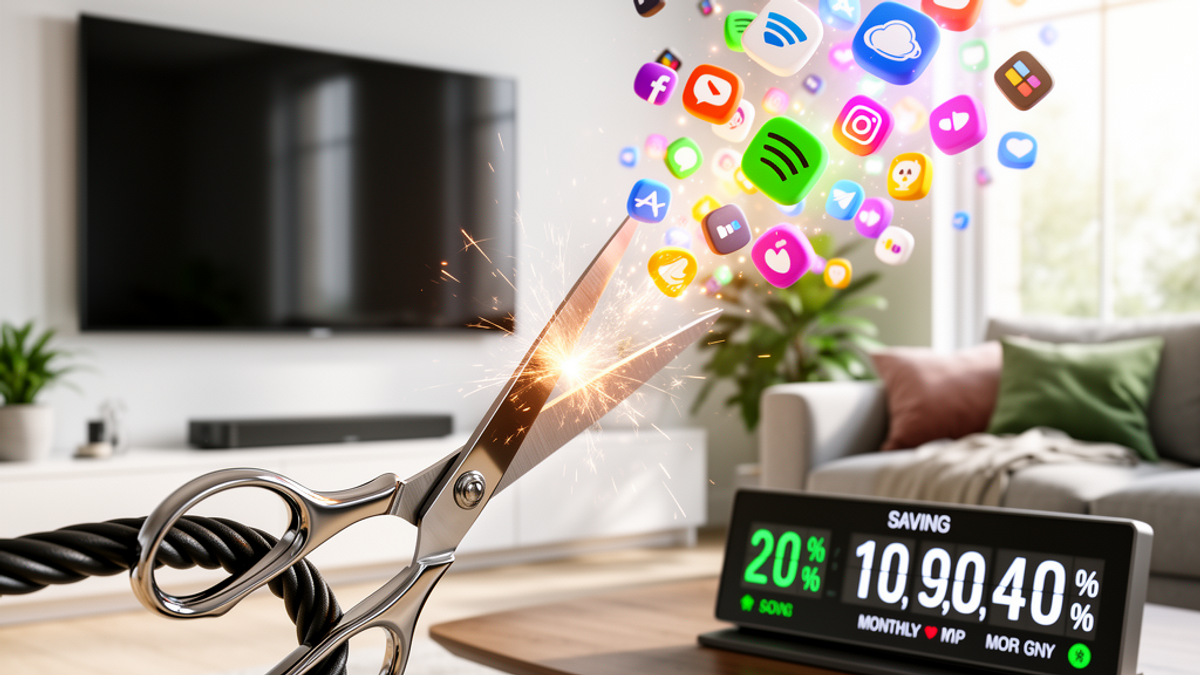
You know that feeling when you check your mail, or get that monthly email notification, and your cable bill has magically crept up again? Suddenly, you're looking at a piece of paper from Xfinity, Spectrum, or Cox, and you're paying $164.82 a month. There's a "Broadcast TV Fee," a "Regional Sports Surcharge," and a rental fee for a clunky cable box that looks like it was manufactured in 2004.
Here at Onyx Sound Lab, we spend a lot of time talking about sound wellness, frequency therapy, and creating home environments that reduce your daily stress. But let's be real for a second—financial stress is one of the loudest, most disruptive background noises in your life. Paying upwards of $1,800 a year for 400 channels you don't even watch is terrible for your mental wellness.
Think about what an extra $100 to $120 a month does for your life. That's over $1,200 a year. That's a massive Costco run, a couple of extra tanks of gas, or an embarrassing amount of late-night DoorDash orders.
If you've been on the fence about cutting the cord because you think it's too complicated, or because you're worried you'll miss live sports and local news, grab a cup of coffee. I'm going to walk you through exactly how to ditch your cable provider and build a custom, high-quality entertainment package for about $40 a month.
The Psychology of the Cord: Why We're Scared to Cut It
Before we get into the tech, let's address the elephant in the room: habit. Americans love the convenience of turning on the TV and just mindlessly channel surfing. Cable companies know this, which is why they bundle internet, phone, and TV into one "convenient" package. They make the idea of canceling sound like a part-time job.
But the reality is, you're paying a premium for a lot of dead weight. When was the last time you watched the Home Shopping Network at 2 PM, or channel 384? You're subsidizing channels you never watch.
Cutting the cord requires a slight mindset shift. You are moving from a passive viewing experience (flipping through whatever happens to be on) to an intentional viewing experience (choosing what you want to watch). Once you get over that initial three-day learning curve, you'll never look back.
Step 1: The Great American TV Audit
Before you buy anything or cancel your current plan, you need to do a TV audit. Grab a piece of paper or open the notes app on your phone. Write down the top five to ten shows, networks, or sports teams that your household actually cares about.
Be brutally honest. Do you really need the Food Network, or do you just like having something on in the background while you cook? Do you genuinely care about live local news, or do you just catch the highlights on your phone anyway?
Your list might look something like this:
- Live NFL games (specifically the local team)
- Yellowstone
- The local morning news on ABC
- Whatever the new hit show is on HBO (Max)
- Background noise movies
Once you have your list, you have your blueprint. You aren't trying to recreate a 400-channel cable package; you're just trying to fulfill this specific list.
Step 2: The Hardware (Your New Foundation)
To stream effectively, you need a smart setup. If you bought a TV in the last five years, it's probably a Smart TV (like a Roku TV, Samsung, or LG) that already has streaming apps built directly into the interface. If the interface is fast and snappy, you're good to go.
However, if your TV is a bit older, or if the built-in software is slower than molasses in January, don't throw the TV out. You just need a streaming device.
Take a quick trip to Walmart, Target, or Best Buy. You can grab a Roku Streaming Stick 4K, an Amazon Fire TV Stick, or a Google Chromecast for between $30 and $50. If you're deep in the Apple ecosystem and want to splurge, the Apple TV 4K is fantastic (though it'll run you about $130).
These little devices plug directly into the HDMI port on the back of your TV and connect to your Wi-Fi. They give you a clean, lightning-fast dashboard to access every streaming service in existence.
Step 3: The Secret Weapon - A Good Old-Fashioned Antenna
This is the step most people skip, and it's the biggest mistake you can make. People have completely forgotten that broadcast television is 100% free.
Head over to Home Depot, Target, or Amazon and drop $30 on a digital indoor antenna (brands like Mohu Leaf or GE are great). You stick this flat, paper-thin square to your wall or a window behind your TV, plug it into the coaxial cable port on your TV, and scan for channels.
If you live within 40 to 50 miles of a major city, you will pull in ABC, CBS, NBC, Fox, PBS, and a dozen other channels in crystal-clear, uncompressed HD. In fact, the picture quality from an antenna is often better than cable because the signal isn't compressed by the cable company.
This single $30 purchase solves half of the cord-cutting anxiety. You get your local morning news, Jeopardy, local NFL games on Sundays, and major network events—all for absolutely zero dollars a month.
Step 4: The Streaming Arsenal (Building Your Custom Package)
Now that you have your local channels for free, it's time to build your streaming package. The trick here is to embrace ad-supported tiers. If you're used to cable, you're already used to watching commercials. Taking the ad-supported tier on streaming services saves you a massive amount of money.
The "Big Three" Essentials
- Hulu (With Ads) - $7.99/mo: This is your replacement for standard cable TV. It has almost every major network show available the day after it airs, plus a massive library of movies and originals.
- Peacock Premium - $5.99/mo: NBC's streaming service is a steal. It gives you The Office, Parks and Rec, Bravo reality shows, Sunday Night Football, and a ton of live sports.
- Paramount+ Essential - $5.99/mo: This covers your CBS content, the NFL on CBS, Champions League soccer, and the Taylor Sheridan universe (like 1923 and Tulsa King).
The Freebies (FAST Channels)
Don't sleep on Free Ad-Supported Streaming TV (FAST). Apps like Pluto TV, Tubi, and Amazon Freevee are completely free to download and use. Pluto TV actually mimics a traditional cable box interface. You can flip through channels playing 24/7 loops of Unsolved Mysteries, Gordon Ramsay shows, or classic movies. It perfectly scratches that "I just want something on in the background" itch without costing a dime.
Step 5: The Sports Conundrum (And The VPN Hack)
Live sports are the final boss of cord-cutting. Cable companies know sports keep you hooked.
With your $30 antenna, you're already getting local Sunday NFL games, Sunday Night Football (NBC), and whatever airs on Fox and CBS. But what about Monday Night Football on ESPN, or your local NBA/MLB teams that air on regional sports networks?
If you absolutely must have standard cable channels like ESPN, FS1, or TNT, your cheapest option is Sling TV (Orange or Blue) for $40/month. It's a "skinny bundle" that gives you live cable channels over the internet.
But if you want to be a true cord-cutting ninja and save even more, you can use a VPN (Virtual Private Network).
Let's say you live in Chicago and want to watch the Bulls, but you don't want to pay $100/month for the regional sports network. You can buy the standard NBA League Pass (which normally blacks out local games). Then, you use a VPN app on your streaming device (like ExpressVPN or NordVPN, about $5-$10/mo) to make your internet connection look like it's coming from Miami or Seattle. Suddenly, the Chicago game is no longer "local" to your device, the blackout is lifted, and you can watch your team.
Step 6: The Exact $40/Month "Cable-Killer" Combo
Let's put it all together. How do we replace a $150 cable package for around $40? Here is the exact blueprint:
- Digital Antenna: $0/month ($30 one-time cost)
- Gives you: Local news, ABC, CBS, NBC, Fox, PBS, local NFL games.
- Hulu (With Ads): $7.99/month
- Gives you: Next-day network TV, FX shows, massive movie library.
- Peacock Premium: $5.99/month
- Gives you: Sunday Night Football, Bravo, NBC comedies, Premier League.
- Paramount+ Essential: $5.99/month
- Gives you: NFL on CBS, local CBS feed, hit original dramas.
- Max (With Ads): $9.99/month
- Gives you: Premium HBO content, Discovery channel reality shows, blockbuster movies.
- Pluto TV / Tubi: $0/month
- Gives you: 24/7 channel surfing and background noise.
Total Monthly Cost: $29.96 (Let's call it $35 with taxes).
Even if you throw in a $5/month VPN for sports or privacy, you are hitting exactly $40 a month. You've just saved $110+ every single month.
Step 7: Managing the Subscriptions (The "Rotate and Save" Strategy)
The biggest mistake new cord-cutters make is recreating their cable bill by subscribing to every streaming service at once. You do not need Netflix, Hulu, Max, Disney+, Apple TV+, Peacock, and Paramount+ all in the same month.
Adopt the "Rotate and Save" strategy. Keep your core two or three services active. But for the others? Rotate them.
Wait until the new season of Stranger Things is fully released on Netflix. Subscribe for one month, binge the whole season, and then cancel. The next month, switch that $15 over to Apple TV+ to catch up on Ted Lasso or Severance. Streaming services have no cancellation fees and no contracts. You can turn them on and off from your phone while waiting in line at the grocery store.
Also, share the load. If the platform's terms of service allow it (like sharing within a household or utilizing family plans), split the costs. If your roommate or partner covers the internet bill, you cover the streaming. Use Venmo or Zelle to easily split an annual subscription cost with family members under the same roof.
Conclusion: Your Actionable Takeaway
Cutting the cord isn't just about saving money; it's about taking back control of your environment and your finances. It's about eliminating the static of hidden fees, promotional expirations, and paying for things that bring no value to your life.
Here is your actionable step for today: Don't cancel your cable just yet. First, run the "Pantry Test." Go order a $30 digital antenna from Amazon or pick one up on your way home from work. Plug it in, stick it to the wall, and spend this weekend seeing how many channels you get for free.
Once you see that crisp, uncompressed HD picture of your local news or a Sunday football game coming through the airwaves for absolutely zero dollars, pick up the phone. Call your cable provider, confidently tell them you want to switch to an "Internet-Only" plan, and politely decline every bundle they try to throw at you.
Take that extra $100 a month, put it back in your pocket, and enjoy the peace and quiet of a financially lighter household.

SunMaster USA
Editorial Team
The SunMaster USA team finds, tests, and shares the smartest lifehacks, money moves, and home improvement tips that make everyday life easier for American families.