Digital Wellness: Stop Using the Same Password for Everything (And Fix It in 15 Minutes)
Digital clutter causes real-world stress. Stop reusing passwords and secure your online life with this easy, 15-minute guide to password managers. Protect your peace of mind, your identity, and your bank account today.

Here at Onyx Sound Lab, we spend a lot of time talking about sound wellness, frequency therapy, and bringing your nervous system back to baseline. We use specific audio frequencies to calm the mind, reduce stress, and promote deep, restorative sleep. But let’s be real for a second: all the 528Hz healing frequencies in the world won't lower your resting heart rate if you just got an alert that someone is trying to log into your bank account.
Digital clutter and cybersecurity anxiety are massive, often-ignored sources of modern stress. Think about that sudden drop in your stomach when an app tells you your account is locked due to suspicious activity. Your blood pressure spikes, your breathing gets shallow, and suddenly your stress levels are running hotter than a 100-degree Fahrenheit summer day in Texas.
One of the biggest culprits behind this digital anxiety? Password management. Or rather, the lack of it.
If you are currently using the same password—or a slight variation of the same password, like adding a "1!" at the end—for your email, your banking, and your retail accounts, you are playing a very dangerous game of digital roulette. Today, like a smart friend giving you advice over a cup of coffee, I'm going to explain exactly why this is so dangerous, how a simple tool can fix it, and give you a 15-minute setup guide to secure your digital life once and for all.
The Danger of the "One Password Fits All" Strategy
Let’s paint a picture. You have a go-to password. Maybe it's your childhood dog's name mixed with your birth year. Let's call it `Buster1990!`.
You use `Buster1990!` for everything because, honestly, who has the brain space to remember 150 different passwords? You use it when you're buying patio furniture at Home Depot. You use it for your Target circle account. You use it for your health insurance portal.
Here is the problem: Home Depot and Target might have massive, multi-million-dollar cybersecurity teams keeping your data safe. But what about that random flower delivery website you used once three years ago for Mother's Day? What about that obscure fitness forum you signed up for in 2015?
Smaller websites get hacked all the time. When they do, hackers steal the databases containing user emails and passwords. But the hackers don't care about your fitness forum account. They care about what else you use that email and password for.
The Domino Effect: Credential Stuffing
In the cybersecurity world, there is an automated attack method called "credential stuffing." Once hackers steal your email and `Buster1990!` from a weak website, they don't manually type it into other sites. They use automated software bots to test that exact email and password combination across thousands of high-value websites simultaneously.
Even if the hacker lives thousands of miles away, their software can test your credentials on banking apps, social media, and retail sites in a matter of seconds.
They aren't just looking to snoop on your old photos. They are trying to log in and Zelle themselves your rent money. They are trying to access your Venmo to drain your balance. They are logging into your saved DoorDash account to order $150 worth of premium sushi to a drop house.
If you reuse passwords, one breach on a website you don't even remember using can compromise your entire digital identity. It is the ultimate domino effect, and the stress it causes is immense.
What is a Password Manager? (And Why You Need One)
So, what's the solution? You can't possibly memorize 150 unique, 20-character passwords that look like `x$9Fk@2pL5!zQ8w#mN4b`.
Enter the password manager.
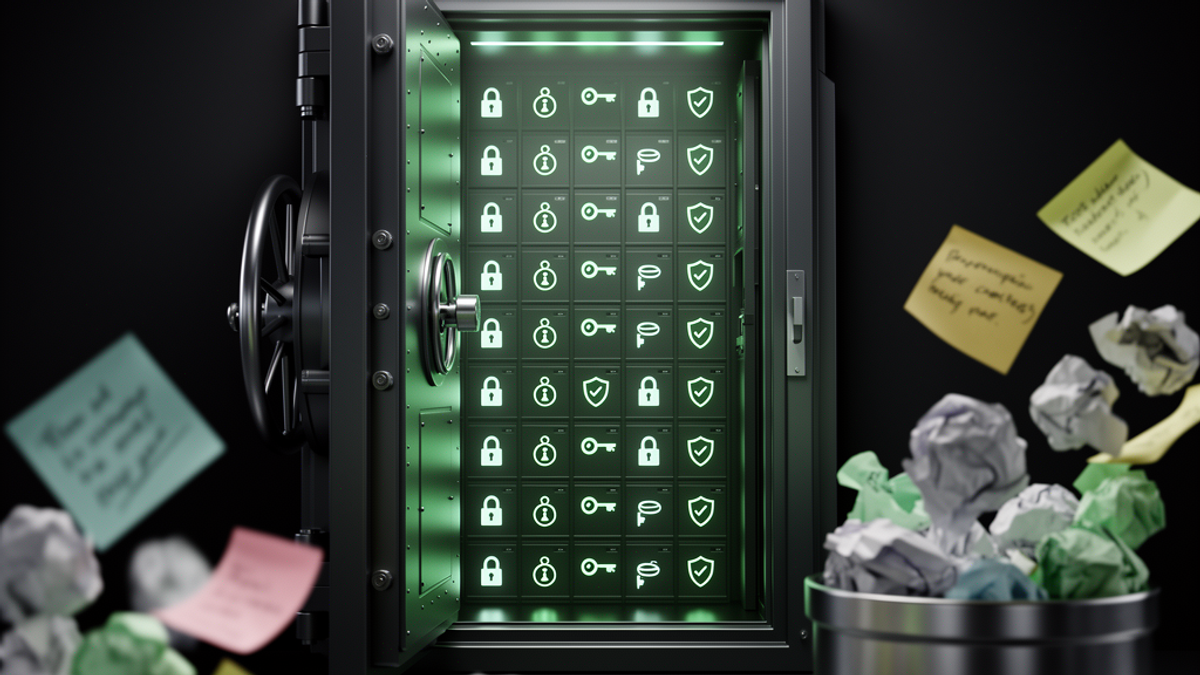
A password manager is essentially a highly encrypted digital vault that lives on your phone and computer. It generates incredibly strong, random passwords for every single website you use, stores them securely, and automatically fills them in for you when you go to log in.
Instead of remembering 150 weak passwords, you only have to remember one strong password: your Master Password. This Master Password is the key to unlock your vault. Once the vault is open, the manager does all the heavy lifting.
Imagine the peace of mind. No more clicking "Forgot Password" and waiting for reset emails. No more typing in five different variations of your dog's name until you get locked out. Just smooth, secure, automated logins.
Debunking the "All Your Eggs in One Basket" Myth
I know what you're thinking: "If I put all my passwords in one app, and that app gets hacked, aren't I totally screwed?"
It's a valid question, but it misunderstands how these tools are built. Reputable password managers use something called "zero-knowledge encryption." This means the data is encrypted on your device before it ever reaches the company's servers. The company itself cannot see your passwords. Even if hackers broke into the password manager's servers, all they would find is useless, mathematically scrambled gibberish. Without your specific Master Password (which is never stored on their servers), the data is impossible to read.
Free vs. Paid Options: Keeping Your Dollars in Your Wallet
There are dozens of password managers on the market. Some of the biggest paid names include 1Password and Dashlane. These are fantastic, premium products that usually cost anywhere from $36 to $60 a year.
However, you don't actually need to spend a dime to get top-tier security.
My personal recommendation—and the darling of the cybersecurity community—is Bitwarden.
Bitwarden is open-source, which means its code is constantly being reviewed by security experts around the world to ensure there are no hidden vulnerabilities. Best of all, Bitwarden offers a completely free tier that includes everything an average person needs: unlimited password storage, syncing across all your devices (phone, tablet, laptop), and a secure password generator.
By choosing Bitwarden over a premium competitor, you're saving about $40 to $60 a year. That's enough cash to fund your next bulk paper towel run at Costco or cover a nice dinner out. Why pay for digital peace of mind when the best tool for the job is free?
Your 15-Minute Digital Wellness Setup Guide
Ready to lower your digital anxiety and secure your life? You don't need to be a tech genius to do this. Grab a cup of coffee, sit down at your computer, and follow this 15-minute actionable guide.
Step 1: Download and Install Bitwarden (3 Minutes)
Go to Bitwarden's official website and create a free account. Next, download the Bitwarden app on your smartphone, and install the Bitwarden browser extension on your computer (it works on Chrome, Safari, Edge, Firefox, etc.).
Step 2: Create a Bulletproof Master Password (3 Minutes)
This is the only password you will ever need to remember again, so make it strong but memorable. The best method is to use a "passphrase"—a string of four or five unrelated words.
For example, instead of a complex jumble of letters, use something like: `Coffee-Cactus-Target-Guitar-Yellow!`
It is incredibly long (which makes it impossible for computers to guess), but very easy for your human brain to visualize and remember. Write this Master Password down on a physical piece of paper and hide it somewhere safe in your house, just in case you forget it while you're getting used to it.
Step 3: Secure the "Big Three" (5 Minutes)
You don't need to change all 150 of your passwords today. That is a recipe for burnout. Instead, we are just going to change the passwords for the three most critical accounts in your life. If these three are secure, your risk drops by 90%.
- Your Primary Email: (e.g., Gmail, Yahoo). Your email is the master key to your life. If a hacker has your email, they can just click "Forgot Password" on all your other accounts. Go to your email settings, change the password, and use Bitwarden to generate a random 20-character password. Save it in your vault.
- Your Bank Account: Go to your primary bank's website. Change the password using Bitwarden’s generator.
- Your Cell Phone Provider: (e.g., AT&T, Verizon, T-Mobile). Hackers often try to steal your phone number to intercept your text messages. Secure this account with a generated password.
Step 4: The "Lazy Snowball" Migration Strategy (4 Minutes)
Now that your Big Three are secure, you are done for the day. Take a deep breath. You've just massively upgraded your digital security.
For the rest of your accounts—from DoorDash to your airline miles account—just use the "Lazy Snowball" method.
Don't go out of your way to change them. Just go about your normal life. Tomorrow, when you log into Amazon to buy something, Bitwarden will ask if you want to save your old password. Say yes. Then, while you're logged in, take 30 seconds to go to the account settings, change the password to a randomly generated one, and update it in Bitwarden.
Do this organically as you naturally log into sites over the next few months. Slowly but surely, your entire digital life will migrate into your secure vault without feeling like a massive chore.
The Actionable Takeaway
Digital wellness isn't just about reducing screen time; it's about making the time you do spend online safe, seamless, and stress-free. Relying on your memory to manage your cybersecurity is a burden your nervous system doesn't need to carry.
Your actionable step for today: Stop reading, go to Bitwarden.com right now, create your free account, and change the password to your primary email address.
Take that one step today. Let the technology do the hard work. Your future self—and your bank account—will thank you.

SunMaster USA
Editorial Team
The SunMaster USA team finds, tests, and shares the smartest lifehacks, money moves, and home improvement tips that make everyday life easier for American families.