How to Set Up a Functional Home Office in Any Space (For Under $300)
Tired of working from your kitchen island? Learn how to transform a closet, corner, or spare room into a highly productive, ergonomic home office for under $300. Discover the best budget desks, lighting, and sound wellness tips for focus.

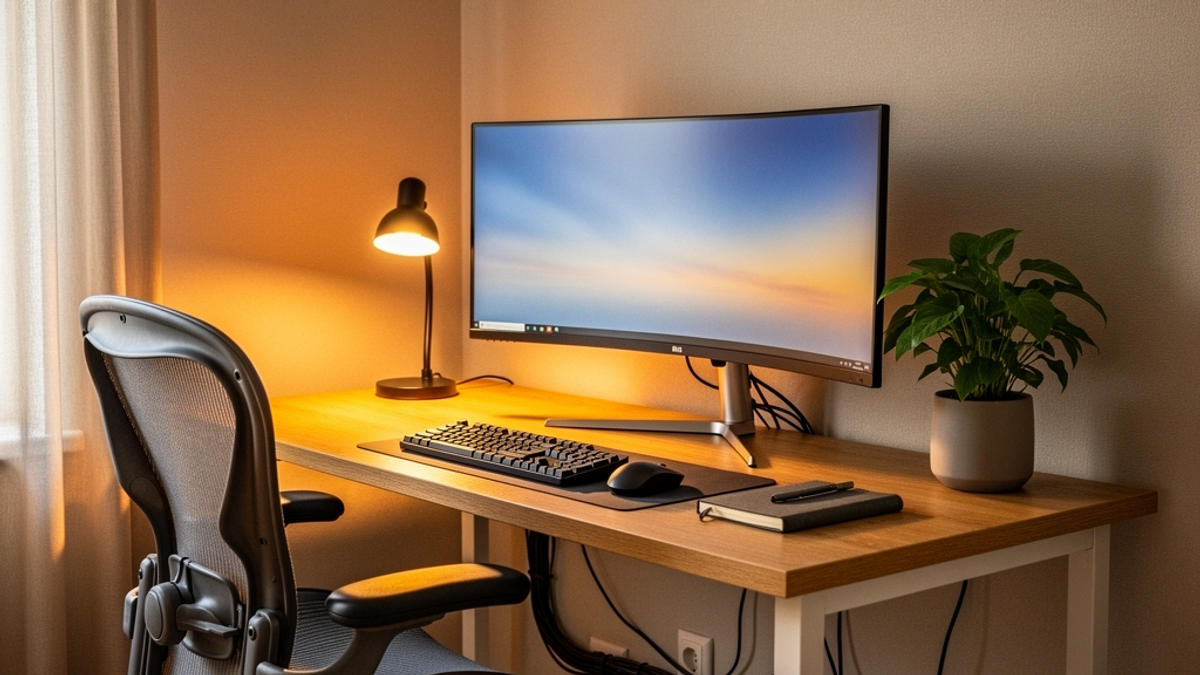
Let's be honest for a second. When the work-from-home revolution kicked off, a lot of us thought we'd be answering emails from a sun-drenched patio, sipping artisanal coffee, and living our best lives. The reality? You're probably hunched over a kitchen island like a gargoyle, furiously typing while trying not to spill your lukewarm coffee on yesterday's DoorDash bags.
Working from the couch, the dining table, or your bed might seem cozy at first, but it's a fast track to lower back pain, chronic distraction, and zero work-life boundaries. When your brain associates your bed with both sleeping and stressful Zoom meetings, neither is going to go well.
You need a dedicated workspace.
I can already hear the objections: "But I live in a tiny apartment!" or "I don't have a spare room!" or "Have you seen furniture prices lately?"
Take a deep breath. You don't need a sprawling, mahogany-clad executive suite to get good work done. You just need a sliver of space, a little bit of creativity, and a trip to a few big-box stores. Today, we're going to walk through exactly how to build a highly functional, ergonomic, and aesthetic home office in a closet, a weird living room corner, or a tight spare room—all for under $300.
Grab your tape measure, and let's get to work.
Step 1: Claiming Your Territory (The Space Audit)
Before you spend a single dollar, you need to find your space. Look around your home with a critical eye. You need an area roughly 36 to 48 inches wide. That's it.
The "Cloffice" (Closet Office)
If you have a standard reach-in closet that's currently holding winter coats you haven't worn since 2018, it's time to evict them. A standard closet is about 24 inches deep, which is the exact depth of a standard desk. Pop the doors off their hinges, store them under your bed, and suddenly you have a designated alcove.
The Dead Corner
Every apartment or house has a "dead corner." It's that awkward space between the sofa and the window, or the weird nook under the stairs where you toss your junk mail. Clear it out.
Actionable Tip: Measure your chosen space in inches (width and depth). Do not guess. Write these numbers down in your phone notes right now. You will need them when you're standing in the middle of Target trying to figure out if a desk will fit.
Step 2: The Desk (Budget: $70 - $120)
Your desk is the foundation of your setup, but it doesn't need to be expensive. You just need a flat, stable surface that sits roughly 29 to 30 inches off the floor.
The Big-Box Budget Finds
If you have 30 to 40 inches of width, Target's Room Essentials line and Walmart's Mainstays brand have surprisingly sturdy, minimalist writing desks that usually run between $35 and $50. They aren't going to become family heirlooms, but they will hold your laptop, a monitor, and your coffee mug perfectly.
The IKEA Hack
If you live near an IKEA, the MICKE desk is a legendary budget option. At around $90, it has a built-in drawer and a cable management hole. It's compact (28 3/8 inches wide) and fits into almost any closet or corner.
The DIY Home Depot Route
If you have a weirdly sized space—say, an alcove that's exactly 41.5 inches wide—building a custom desk is incredibly cheap. Go to Home Depot and buy a piece of project wood or a cheap butcher block counter scrap. They will usually cut it to your exact measurements for free. Order a set of four metal hairpin legs from Amazon for $30, screw them into the bottom of the wood, and boom: a custom-fit, industrial-chic desk for under $100.
The Drop-Leaf Lifesaver
If your space is truly microscopic, look into wall-mounted drop-leaf tables. You bolt them to the wall studs, and when you're done working for the day, you simply fold the desk down flat against the wall.
Step 3: The Throne (Ergonomic Seating) (Budget: $100 - $150)
Listen to me carefully: Do not cheap out on your chair.
You can work on a $30 folding table, but if you sit on a hard wooden dining chair for 40 hours a week, you will end up handing hundreds of dollars to a chiropractor. This is where the bulk of your $300 budget is going to go.
Skip the aesthetic, velvet, mid-century modern chairs you see on Instagram. They look great, but they offer zero lumbar support. You need an adjustable, ergonomic task chair.
Where to Find the Deals
- Costco: If you or a friend has a Costco membership, check their office furniture aisle. They frequently stock high-quality mesh task chairs with lumbar support for around $100 to $120.
- Staples: The Staples Dexley or Hyken mesh chairs are the poorly kept secrets of the budget WFH community. They retail for over $200, but Staples constantly puts them on sale for around $130. Keep an eye on their weekly ads.
- Used Office Liquidators: When big corporate offices downsize, they sell off $1,000 Herman Miller and Steelcase chairs for pennies on the dollar. Search Yelp or Google for "used office furniture liquidators near me."
The 90-90-90 Rule: When you adjust your new chair, sit so your feet are flat on the floor (knees at a 90-degree angle), your hips are at a 90-degree angle, and your elbows rest on the desk at a 90-degree angle. If your feet don't reach the floor, don't buy a footrest—just grab a $5 ream of printer paper from Walmart and rest your feet on that.
Step 4: Let There Be Light (Budget: $20 - $40)
Lighting dictates the mood of your workspace. If you're working in a closet with a single, harsh overhead light, you're going to feel like you're in an interrogation room. Nobody wants their boss to see them looking like a hostage on a Tuesday morning Zoom call.
Banish the Overhead Glare
Turn off the overhead light. You want layered, warm lighting. Aim for LED bulbs in the 3000K to 4000K range (often labeled "Soft White" or "Bright White").
The Budget Lighting Setup
- The Task Lamp ($15): Hit up Target for a simple, adjustable desk lamp. Point it at the wall behind your monitor. This is called "bias lighting," and it drastically reduces eye strain from staring at a bright screen all day.
- The Zoom Light ($15 - $25): You don't need a massive, professional lighting rig. A small, 6-inch LED ring light from Amazon or Walmart that clips onto the top of your laptop or monitor is plenty. It fills in the shadows on your face and makes you look awake, even if you were up until 2 AM.
Step 5: Taming the Spaghetti (Cable Management) (Budget: $10 - $20)
The difference between a workspace that feels like a professional office and one that feels like a college dorm room comes down to one thing: cable management. Seeing a tangled rat's nest of power cords, monitor cables, and phone chargers will subliminally stress you out.
For $15, you can make every cable disappear.
The 4-Step Cable Cleanse
- The Power Strip: Buy a power strip with a flat plug.
- The Mounting Tape: Go to Home Depot and buy a roll of heavy-duty double-sided mounting tape (3M VHB is the gold standard, about $7). Use it to stick your power strip to the underside of your desk.
- The Velcro Ties: Buy a $5 pack of reusable Velcro cable ties.
- The Route: Plug everything into the hidden power strip. Gather all the dangling cables, bundle them tightly together, and wrap them with the Velcro ties. Route the single bundle down the back of one of the desk legs.
Suddenly, your desk looks like it's floating. It's practically magic.
Step 6: Sound and Focus (The Invisible Setup)
When you're crammed into a 3x4 foot closet or a corner of the living room, your physical space is undeniably limited. But your mental space doesn't have to be.
If you can hear your roommate watching TV, the neighbor's leaf blower, or the fridge humming, your cortisol levels will spike. You can't control the square footage of your house, but you can control your auditory environment. This is where sound wellness changes the game.
At Onyx Sound Lab, we know that the right frequencies can completely alter your perception of your environment and trigger deep flow states.
Expanding Your Space with Sound
Once your budget desk and chair are set up, put on a pair of noise-canceling headphones. Instead of listening to a chaotic Spotify playlist that distracts you with lyrics, tune into functional frequencies.
- For Deep Work: Try 40Hz binaural beats. Studies show this frequency can help enhance focus and cognitive processing, effectively putting blinders on your brain.
- For Stressful Days: If the physical tightness of your "cloffice" is making you feel claustrophobic, switch to Brown Noise. It mimics the deep, rolling sound of a waterfall or an airplane cabin, masking unpredictable background noises and creating a sense of expansive, safe space.
Sound is the cheapest, most effective way to make a tiny corner feel like a private, corner-office sanctuary.
The $300 Breakdown
Let's do the math to prove this isn't just a pipe dream. Here is your realistic, worst-case-scenario budget:
- Desk (Target/IKEA): $80
- Ergonomic Chair (Costco/Staples sale): $130
- Task Lamp & Ring Light: $35
- Cable Management Supplies: $15
- Total: $260
That leaves you with $40 to spare. You can use that to buy a nice, low-maintenance desk plant (like a Pothos or a Snake Plant) to boost your mood, or just Venmo a friend $20 and buy them a pizza to help you assemble the IKEA furniture.
Your Actionable Takeaway
Stop waiting for the perfect moment or the perfect house to build your home office. Your environment dictates your habits, and your habits dictate your success.
Here is what you need to do today: Grab a tape measure, find that unused corner or cluttered closet, and write down the dimensions. Then, set a budget of $300, clear out the junk, and take back your workday. Your back, your brain, and your career will thank you.

SunMaster USA
Editorial Team
The SunMaster USA team finds, tests, and shares the smartest lifehacks, money moves, and home improvement tips that make everyday life easier for American families.