How to Take Better Photos With Just Your Phone (No Fancy Gear Required)
Stop settling for blurry smartphone photos. Learn how to use the rule of thirds grid, master golden hour lighting, and use free editing apps to capture stunning, professional-looking shots of your everyday life without spending a dime.

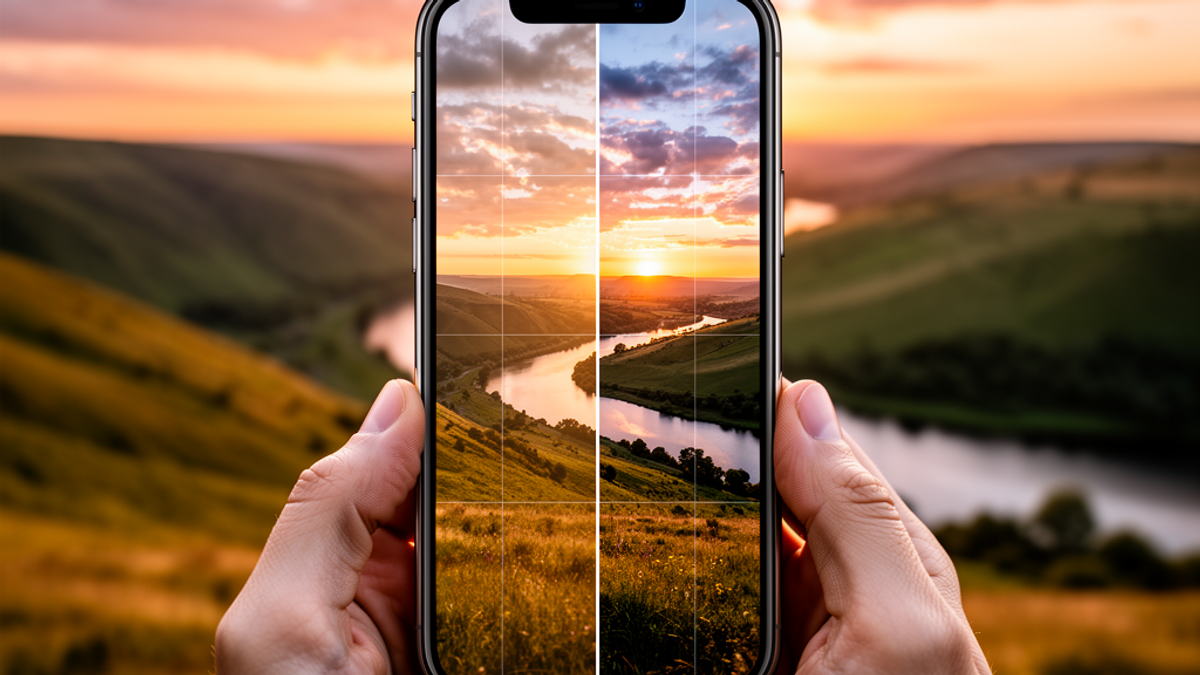
Let’s paint a familiar picture. You are out on a gorgeous, 72-degree Fahrenheit Saturday afternoon. The breeze is perfect, you are feeling great, and you stumble upon a visually stunning moment. Maybe it is a breathtaking sunset, a perfectly crafted latte, or your dog doing something incredibly cute. You pull out your smartphone to capture the magic, snap the photo, and look at your screen.
Instead of a masterpiece, you are staring at a washed-out, blurry, crooked image that looks like it was taken with a potato.
We have all been there. We walk around with $1,200 supercomputers in our pockets. We use them to split dinner bills on Venmo, order late-night DoorDash, and navigate miles of endless highway traffic. Yet, when it comes to the incredibly powerful cameras built right into the back of these devices, most of us are essentially flying blind.
Here at Onyx Sound Lab, we talk a lot about mindfulness, frequency, and being present in the moment. Photography is a beautiful, visual extension of that wellness journey. Capturing a scene is about preserving the "frequency" of a memory so you can return to that peaceful headspace whenever you need it.
But you do not need to drop $2,000 on a bulky DSLR camera to take breathtaking photos. You just need to know how to use the tool you already have. Grab a cup of coffee, sit back, and let's dive into the practical, step-by-step secrets to taking better photos with just your phone.
Step 1: The One-Second Fix (Clean Your Lens!)
I know this sounds painfully obvious, but it is the number one reason your photos look like garbage. Think about what your phone goes through on a daily basis. It lives in your lint-filled pocket. It bounces around in your purse. You grab it after eating a greasy $1.50 hot dog combo at Costco.
All of those fingerprints and smudges create a layer of grime over your camera lens. When light hits that grime, it scatters, giving your photos a hazy, glowing, out-of-focus look.
Before you take a photo, simply wipe the lens. You do not need to go to Best Buy and spend $15 on a fancy microfiber lens cleaning kit. Just use the inside of your cotton t-shirt or a soft cloth. This single, one-second habit will instantly make your photos 50% sharper.
Step 2: Turn on the Rule of Thirds Grid
If you want to instantly elevate your photos from "snapshot" to "art," you need to understand the Rule of Thirds.
Imagine a tic-tac-toe board drawn over your image—two vertical lines and two horizontal lines, dividing the frame into nine equal squares. The Rule of Thirds states that the most interesting parts of your photo should fall along those lines, or ideally, where those lines intersect.
Amateur photographers naturally want to put their subject dead center in the frame. While that works sometimes, placing your subject off-center on one of those intersecting third lines makes the image infinitely more dynamic and pleasing to the human eye.
How to take action right now: You don't have to imagine the lines; your phone will do it for you.
- If you have an iPhone: Go to Settings > Camera > and toggle on "Grid."
- If you have an Android: Open the Camera app, tap the Settings gear icon, and turn on "Grid lines."
Leave this grid on forever. Use it to make sure your horizons are perfectly level (nobody likes a crooked ocean) and to align your subjects like a pro.
Step 3: Chase the "Golden Hour" (Because Lighting is Everything)
Photography is literally the art of capturing light. You can have the best composition in the world, but if your lighting is bad, your photo will be bad.
Have you ever tried taking a selfie inside a Home Depot? The harsh, fluorescent overhead lighting casts weird shadows under your eyes and makes everyone look like an extra in a zombie movie. The same goes for shooting outside at high noon when the sun is directly overhead.
If you want that soft, cinematic, Instagram-worthy glow, you need to shoot during the "Golden Hour." This is the roughly 60-minute window just after sunrise and just before sunset. During this time, the sun is low on the horizon. The light has to travel through more of the Earth's atmosphere, which diffuses it, making it soft, warm, and incredibly flattering.
Pro Lighting Hack: When you are taking a photo on your phone, tap the screen where you want to focus. You will see a little yellow box appear with a sun icon next to it. Drag that sun icon down just a tiny bit to lower the exposure. Smartphones naturally try to make photos too bright. Darkening the image slightly makes the colors richer and the shadows more dramatic.
Step 4: Master the Secrets of Portrait Mode
Portrait mode is arguably the greatest software feature added to smartphones in the last decade. It uses artificial intelligence and multiple lenses to keep your subject in sharp focus while artificially blurring the background. This mimics the "depth of field" effect that professional photographers achieve with massive, expensive lenses.
But here is the secret: Portrait mode isn't just for human faces.
You can use portrait mode to make everyday objects look incredibly dramatic. Try using it on your morning cup of coffee, a cool flower you spot in the Target parking lot, your dog, or your favorite sound therapy singing bowl. By blurring out the messy background, you force the viewer's eye exactly where you want it to go.
The hidden feature: On most modern phones, you can adjust the intensity of that background blur after you take the photo. Look for the "f-stop" or "Depth" slider in your edit menu. Don't crank the blur up to the maximum level, or it will look fake and glitchy around the edges of your subject. A subtle blur is always more professional.
Step 5: Ditch the Digital Zoom (Use Your Feet)
We all do it. You see something cool in the distance, so you pinch your fingers on the screen to zoom in. Stop doing this immediately.
Unless you are using the specific optical zoom lenses built into your phone (like tapping the "3x" or "5x" button), pinching the screen uses "digital zoom." Digital zoom does not actually get you closer to the subject; it just crops the image and artificially stretches the pixels. This is a guaranteed recipe for a grainy, pixelated, terrible photo.
Instead, use what photographers call "sneaker zoom." Put on your sneakers and walk the 0.1 miles closer to your subject. Get physically closer to the action. If you absolutely cannot get closer (like if you are at a concert or watching wildlife), take the photo at its normal wide angle and crop it later during the editing process. It will preserve much more detail than pinching to zoom.
Step 6: Change Your Perspective
Most people take photos from exactly the same height: about 5-and-a-half feet off the ground, looking straight ahead. Because we all see the world from this exact height every single day, photos taken from this perspective tend to look boring and predictable.
If you want your photos to stand out, change your physical altitude.
- Get low: Squat down and shoot from the ground up. This makes your subject look larger than life and heroic. It is a fantastic trick for photographing kids, pets, or tall buildings.
- Get high: Hold the phone high above your head and shoot pointing downward. This is perfect for "flat lay" photos of your dinner or your workspace.
- Look for reflections: After a rainstorm, look for puddles. Hold your phone upside down so the camera lens is hovering just an inch above the water. You will capture a stunning, mirror-like reflection that looks incredibly artistic.
Step 7: Free Editing Apps That Do the Heavy Lifting
You have cleaned your lens, used the grid, found the golden hour light, and snapped a great photo. Now it is time for the final polish.
Do not fall into the trap of paying $10 a month (that is $120 a year!) for trendy, premium filter apps. The best photo editing tools on the market are completely free.
My top two recommendations:
- Snapseed (by Google): This app is completely free and incredibly powerful. The best feature is the "Healing" tool. If there is a stray piece of trash on the sidewalk or a blemish on your chin, you just tap it with the healing tool, and the app magically erases it, blending the background perfectly.
- Adobe Lightroom Mobile: The mobile version of the industry-standard software is free to use. It gives you incredible control over color and light.
When editing, remember the golden rule: less is more. Do not slap a heavy, neon Instagram filter over your photo. Instead, make small tweaks. Boost the contrast slightly to make the image pop. Increase the "vibrance" (which safely boosts dull colors without making skin tones look orange like the "saturation" slider does). Play with the "highlights" to bring back detail in bright skies, and lift the "shadows" so your dark areas aren't just pitch black.
The Actionable Takeaway
Photography is a deeply rewarding way to practice mindfulness and document your unique perspective on the world. You already own an incredibly capable camera; you just needed the instruction manual to unlock its potential.
Your challenge for today: Right now, grab your phone. Wipe the lens on your shirt. Go into your settings and turn on the Rule of Thirds grid. Then, sometime this evening during the golden hour, step outside or look out your window. Find one simple, mundane object—a leaf, a coffee mug, a street sign—and take a portrait mode photo of it using the grid to place it off-center.
Spend two minutes tweaking the contrast and vibrance in a free app like Snapseed.
I guarantee you will be shocked at the professional-level art you just created without spending a single dollar. Happy shooting!

SunMaster USA
Editorial Team
The SunMaster USA team finds, tests, and shares the smartest lifehacks, money moves, and home improvement tips that make everyday life easier for American families.