Standing Desk vs. Sitting: What the Science Actually Says
Is sitting really the new smoking? We break down what the science actually says about standing desks, the perfect sit-stand schedule, and how to upgrade your home office setup without blowing your budget.

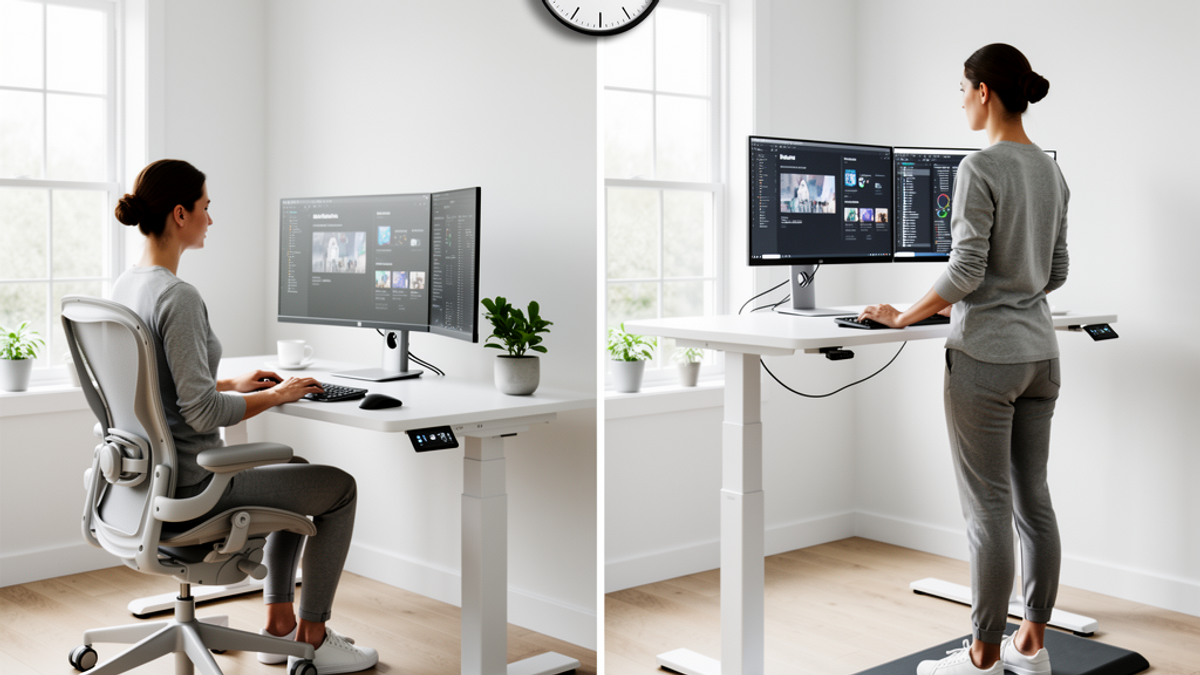
We have all been there. You are working from home, ordering DoorDash for the third time this week, and when you finally stand up, your lower back feels like it just aged forty years in a single afternoon.
Remember back in 2015 when the media suddenly decided that "sitting is the new smoking"? Next thing you know, everyone was panic-buying massive, expensive standing desks, convinced that standing like a palace guard for eight hours a day was the ultimate biohack. We thought if we just stood at our laptops, we could undo the damage of binge-watching Netflix and driving five miles to the grocery store instead of walking.
But here is the honest truth about the standing desk craze: standing all day is not the magic bullet we thought it was. In fact, doing it wrong can actually cause a whole new set of physical problems.
As part of our mission here at Onyx Sound Lab to optimize your environment for total wellness—from the frequencies you listen to down to the way you physically interact with your workspace—we are taking a hard look at the standing desk debate.
Let's break down what the science actually says, exactly how to structure your sit-stand schedule, and how to upgrade your home office without blowing your entire paycheck.
The Great Standing Desk Myth
When the anti-sitting movement peaked, the proposed solution was simple: just stand up. But biomechanics and ergonomics experts quickly realized we were overcorrecting.
Prolonged sitting is absolutely linked to cardiovascular issues, weight gain, and stiff joints. But prolonged standing? That is a fast track to blood pooling in your legs, varicose veins, lower back compression, and foot pain. Ask a bartender, a nurse, or anyone working retail if standing for eight hours straight feels like a "wellness hack." They will laugh you out of the room.
Cornell University's Human Factors and Ergonomics research program looked deeply into this. Their conclusion? Standing is like walking: it is great for you, but you would not want to do it without resting. The human body is not designed to be static. It is designed for movement.
Whether you are sitting in a $1,500 ergonomic chair with the room perfectly chilled to 68 degrees Fahrenheit, or standing on a premium mat, staying in one single posture for hours on end is the real enemy. The science points to one clear solution: postural rotation. It is not about standing instead of sitting; it is about alternating between the two.
The Golden Ratio: The 20-8-2 Rule
So, if we are supposed to alternate, how often should we be switching it up? You do not want to be moving your desk up and down every five minutes like you are doing office aerobics.
Ergonomic experts generally recommend the "20-8-2" rule for every half hour of your workday. Here is how it breaks down:
- Sit for 20 minutes: Use this time for deep, focused work. Sitting requires less energy and stabilizes your body, which is scientifically proven to be better for fine motor skills (like typing) and intense cognitive focus.
- Stand for 8 minutes: Hit the button on your desk or lift your converter. This is a great time to take phone calls, sort through emails, or do lighter administrative tasks. Standing increases heart rate slightly and boosts alertness.
- Move for 2 minutes: Step away from the desk entirely. Walk to the kitchen for water, do some light stretching, or just pace around the room.
If switching every half hour feels too disruptive, you can double it: sit for 40 minutes, stand for 15, and move for 5. The exact minutes matter less than the habit of regularly changing your physical state.
Building Your Setup Without Going Broke
If you want to start alternating, you need the right gear. But let's be real—dropping $600 to $900 on a motorized hardwood standing desk is not in everyone's budget. The good news is that you can build a highly effective, scientifically sound ergonomic setup for a fraction of the cost.
Budget Desk Converters
Instead of replacing your entire desk, buy a sit-stand desk converter. These sit right on top of your current table and use pneumatic springs to easily lift your monitor and keyboard when you want to stand.
- The Entry Level: You can find basic, highly-rated desk converters at Walmart or Target for around $65 to $85. They are sturdy enough for a laptop and a cup of coffee, and they save you hundreds of dollars right out of the gate.
- The Mid-Tier Sweet Spot: If you have dual monitors, check out Costco or look for brands like Vivo online. You can usually score a heavy-duty, spacious converter for about $130 to $150.
Think about it: by spending $150 on a converter instead of $650 on a full desk, you are keeping a cool $500 in your pocket. If you share a home office, you can even split the cost of a nice converter with your roommate—just have them Venmo or Zelle you their half.
The Unsung Hero: Anti-Fatigue Mats
If you take away only one piece of advice from this article, let it be this: do not stand on a hard floor in your socks. Hardwood, tile, and even thin apartment carpet will absolutely wreck your heels and lower back if you stand on them for too long.
An anti-fatigue mat is non-negotiable. These mats are made of high-density polyurethane foam that forces your leg muscles to make microscopic adjustments, promoting blood flow and reducing joint fatigue.
You do not need to buy a fancy "office" mat marketed to tech bros. Head over to Home Depot or Lowe's. You can find commercial-grade anti-fatigue mats (often sold for garages or kitchens) for about $30 to $45. They work exactly the same as the $100 ergonomic office mats.
Footwear Matters
If you work from home, you probably are not wearing shoes. While being barefoot is great, standing for your 15-minute intervals without arch support can cause plantar fasciitis over time. Keep a dedicated pair of supportive house shoes or supportive slide sandals next to your desk. Slip them on when you stand, slip them off when you sit.
The Sound Wellness Connection
At Onyx Sound Lab, we know that your physical posture is deeply connected to your mental state. When you sit slumped over, your breathing becomes shallow, which signals mild stress to your nervous system. Standing up opens your diaphragm, allowing for deeper breaths and increased oxygen flow to the brain.
To really maximize this, try pairing your physical routine with your sonic environment. When you are in your 20-minute seated "focus" block, put on a binaural beats track or a deep-focus frequency. When you switch to your 8-minute standing block to clear out emails, switch your audio to something more upbeat or an energizing soundscape. Anchoring your physical movements to specific sound frequencies is a powerful way to train your brain to transition smoothly between deep work and lighter tasks.
Your 30-Day Transition Plan
If you go from sitting 8 hours a day to trying to stand for 4 hours a day, you will be miserable by Wednesday. Your core and leg muscles need time to adapt. Here is a practical, step-by-step plan to ease into it:
Week 1: The Micro-Dose
Do not even worry about your desk height yet. Just focus on the "move" part of the 20-8-2 rule. Set a timer to go off every 45 minutes. When it rings, stand up, stretch your arms over your head, and walk around for two minutes.
Week 2: The Trial Run
Set up your new desk converter and anti-fatigue mat. Commit to standing for just 15 minutes in the morning and 15 minutes in the afternoon. That is it. A total of 30 minutes a day. Pay attention to your posture—keep your screen at eye level and your elbows at a 90-degree angle.
Week 3: Building Endurance
Start implementing the alternating schedule, but keep it loose. Try standing for 10-15 minutes every hour. If your back or feet start to ache, sit immediately. There are no medals for suffering.
Week 4: The Sweet Spot
By now, your body is used to the mechanics of standing. Aim to hit the 20-8-2 (or 40-15-5) schedule for the core hours of your workday. You will likely notice a significant drop in that dreaded 2:30 PM afternoon slump.
The Bottom Line
The science is clear: the best posture is your next posture. You do not need a fancy, thousand-dollar setup to fix your back pain and boost your energy. A simple desk converter, a supportive mat from the hardware store, and a commitment to movement will get you 99% of the benefits of the most expensive ergonomic setups in the world.
Your Actionable Takeaway
Right now, before you click away to another tab, do this: grab your phone and set a recurring daily alarm for 10:00 AM and 2:00 PM. Label it "Stand & Stretch." Even if you do not have a standing desk yet, use these two alarms to physically stand up from your chair, take three deep breaths, and walk across the room. Movement is free, and it is the best investment you can make in your daily wellness today.

SunMaster USA
Editorial Team
The SunMaster USA team finds, tests, and shares the smartest lifehacks, money moves, and home improvement tips that make everyday life easier for American families.