The Best USB-C Accessories That Actually Work (2025 Guide)
Tired of a drawer full of dead dongles? We cut through the Amazon junk to find the most reliable USB-C hubs, chargers, and audio adapters to keep your tech and sound wellness setup running flawlessly in 2025.

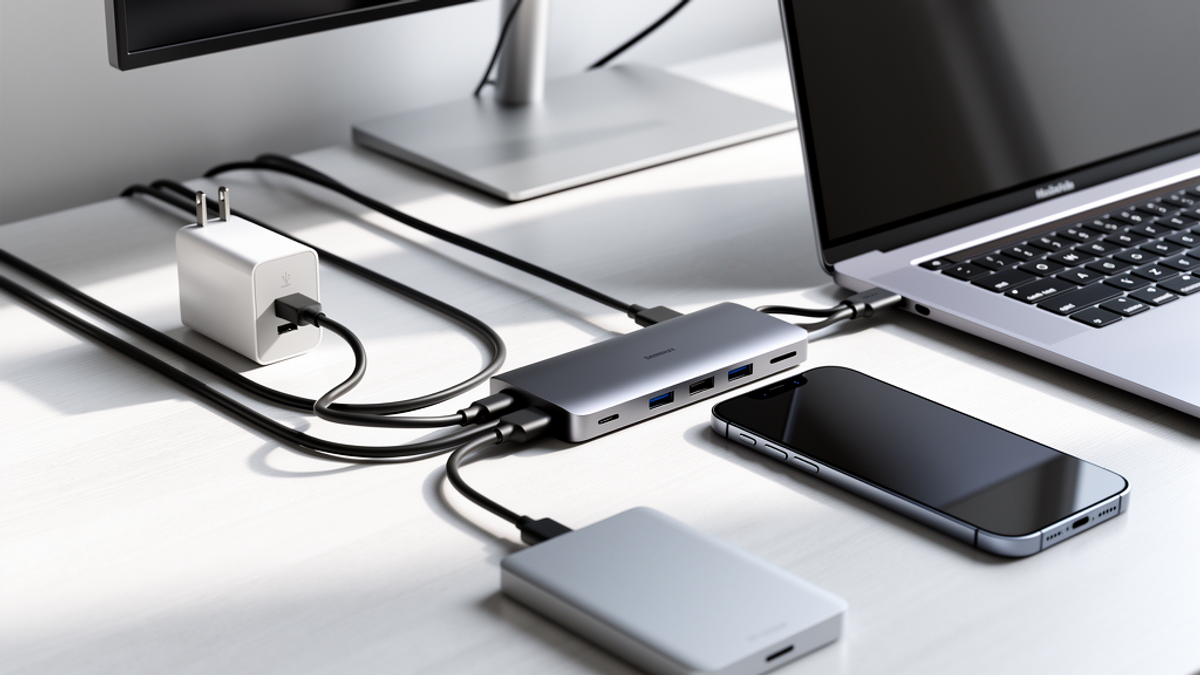
Welcome to 2025. A few years ago, the tech industry promised us a beautiful, streamlined utopia: one single, magical USB-C port that would do absolutely everything. You'd use one cable to charge your phone, power your laptop, run your high-fidelity audio gear, and connect to dual monitors.
The reality? Most of us are living in a tangled nightmare. You probably have a kitchen drawer right now stuffed with mystery cables. Some charge your phone at a snail's pace, some only transfer data, and some get so hot you're worried they're going to melt into your desk.
Here at Onyx Sound Lab, we care deeply about your sound wellness and frequency therapy routines. But here's the hard truth: you cannot have a pristine, stress-free audio experience if your hardware is constantly disconnecting, introducing electrical hums, or dying halfway through a meditation session. Bad accessories don't just waste your time—they introduce literal noise into your life.
It's time to stop playing Amazon roulette. You know the drill: you buy a cheap $12 hub with a weird, unpronounceable brand name, it works for three weeks, and then it fries itself.
Let's cut through the junk. Grab a cup of coffee. As your resident tech-obsessed friends, we've tested the good, the bad, and the downright dangerous to bring you the ultimate curated guide to USB-C accessories that actually work.
Why Clean Power Matters for Your Sound Setup
Before we dive into the gear, let's talk about why this matters for your audio and wellness routines. When you're settling in for a frequency therapy session, your digital-to-analog converter (DAC), your headphones, and your laptop all rely on clean, consistent power.
Cheap USB-C cables and hubs lack proper shielding. This means they leak electromagnetic interference (EMI) right into your audio signal. Have you ever heard a weird clicking, buzzing, or hissing sound in your headphones when you move your mouse or plug in your phone? That's dirty power.
By investing in high-quality, properly certified USB-C gear, you are effectively buying an insurance policy for your audio fidelity. You're eliminating the electrical noise so you can focus entirely on the healing frequencies.
The "One Cable to Rule Them All" Myth
Let's start with the cables themselves. Not all USB-C cables are created equal. In fact, looking at two identical cables from the outside tells you absolutely nothing about what's happening on the inside.
Some cables only support USB 2.0 data speeds (which is basically 1998 technology) but can handle 100 watts of power. Others can transfer massive 4K video files in seconds but will barely charge your tablet.
The Charging Cable: Anker 240W Bio-Braided
If you just need to charge your devices, stop buying those flimsy $8 gas station cables. They break at the connector and leave you stranded. Instead, pick up the Anker 240W Bio-Braided USB-C to USB-C Cable.
It costs about 18 dollars, but it will outlast ten cheap cables. It's built to handle the absolute maximum power delivery (PD) standard currently available. Whether you're charging a massive gaming laptop or just topping off your wireless earbuds, this cable handles it without breaking a sweat. Plus, the braided exterior feels premium and doesn't tangle when you shove it in your backpack.
The Everything Cable: Cable Matters Thunderbolt 4
If you are connecting a heavy-duty audio interface, a high-end DAC, or an external monitor, you need a cable that handles massive data pipelines.
You want the Cable Matters Thunderbolt 4 Cable. It's pricier (around 30 dollars for a 3-foot run), but it guarantees 40Gbps data transfer and 100W charging. It is the absolute gold standard. If you ever find yourself troubleshooting a weird audio dropout or a monitor that won't wake up from sleep, 90% of the time, replacing a cheap cable with a Thunderbolt 4 cable fixes the issue instantly.
Chargers That Don't Run Hotter Than a Summer in Phoenix
Remember the massive, heavy power bricks that used to come with laptops? They're obsolete. The modern charging world is powered by GaN (Gallium Nitride) technology. GaN components are wildly more efficient than old silicon ones, meaning they can pack massive amounts of power into tiny spaces without hitting 120 degrees Fahrenheit and becoming a fire hazard.
The Everyday Carry: UGREEN Nexode 65W
For your daily commute or road trips, the UGREEN Nexode 65W is the sweet spot. It's roughly the size of a golf ball, but it features two USB-C ports and one USB-A port. You can charge your MacBook, your iPhone, and your Onyx Sound Lab frequency generator all at the same time.
At around 40 dollars, it's an absolute steal. It's the kind of reliable tech you can easily Venmo your buddy to pick up for you if they're making a tech run, and it's small enough to fit in any pocket.
The Desktop Powerhouse: Anker Prime 240W Desktop Charger
If you're setting up a permanent workstation at home, you need more juice. The Anker Prime 240W is a beast. It gives you four USB-C ports right on your desk.
Think about how much money you spend replacing dead batteries because of bad charging habits. By investing about 150 dollars in a smart charger that properly negotiates power levels with your devices, you're extending the lifespan of your expensive laptops and tablets. It's built tough, featuring a solid base that feels like a piece of hardware you'd pick up at Home Depot rather than a flimsy plastic toy.
Hubs and Docks: Because They Took All Our Ports
We love modern laptops, but let's be honest: stripping them down to just two USB-C ports was a crime against productivity. If you want to plug in a MIDI keyboard, a dedicated audio interface, an external hard drive, and a monitor, you need a hub.
But beware: cheap hubs are notorious for bricking laptops. They handle power passthrough poorly, and there are countless horror stories of a $15 hub frying a $2,000 MacBook motherboard.
The Portable Fix: Satechi Multi-Port Adapter V2
If you're sitting at a coffee shop three miles from your house and need to plug in a standard USB drive or an SD card, the Satechi Multi-Port Adapter V2 is your best friend.
It gives you 4K HDMI, pass-through charging, Ethernet, SD card readers, and standard USB-A ports. Satechi uses high-quality aluminum enclosures that dissipate heat perfectly. You can often find these at local big-box stores. If you're in a pinch, running to Target or Best Buy to grab one of these is a safe, reliable bet.
The Holy Grail of Docks: CalDigit TS4
For the serious home studio or sound wellness sanctuary, there is only one acceptable answer in 2025: the CalDigit TS4 Thunderbolt 4 Dock.
Yes, it's an investment at around 400 dollars. But it gives you a staggering 18 ports. It provides 98W of power to your laptop, meaning you only need to plug one single cable into your computer to connect to your entire studio. It features dedicated audio-in and audio-out ports that are incredibly clean, making it perfect for routing your sound therapy sessions to your studio monitors without any ground loop hums.
Audio Adapters: The Onyx Sound Lab Special
We can't talk about USB-C without talking about audio. When smartphone manufacturers killed the headphone jack, they forced everyone into Bluetooth. While wireless earbuds are great for taking calls or listening to podcasts while you order DoorDash, they compress audio.
If you are engaging in frequency therapy, binaural beats, or high-fidelity sound wellness, you need a wired connection. Bluetooth compression can actually strip out the subtle, healing frequencies you're trying to absorb.
The Budget Champion: Apple USB-C to 3.5mm Dongle
Believe it or not, the absolute best budget DAC on the market is the Apple USB-C to 3.5mm Headphone Jack Adapter. It costs exactly 9 dollars. You can buy them in bulk at Walmart or grab a multi-pack at Costco if you look closely.
The internal DAC chip inside this tiny white cable measures incredibly well. It provides clean, transparent audio with zero coloration. Whether you use a Mac, a Windows PC, or an Android phone, this $9 cable outperforms "audiophile" dongles that cost five times as much.
The High-Res Upgrade: iFi GO link
If you have high-impedance, studio-grade headphones that need more power to drive them properly, step up to the iFi GO link. For about 60 dollars, this USB-C dongle features an advanced ESS Sabre DAC chip and a twisted-pair cable design that rejects electrical interference. It's the perfect travel companion for your sound wellness journey, ensuring you get studio-quality audio whether you're in your living room or at 30,000 feet on a cross-country flight.
Your Actionable Takeaway: The 15-Minute Tech Audit
Reading about good tech is one thing; actually fixing your setup is another. We want you to take action today to improve your daily digital life and your sound wellness environment.
Here is your homework for this evening:
- The Great Purge: Open that dreaded tech drawer. Pull out every single USB-C cable, hub, and charger you own.
- Test and Toss: If a cable has frayed ends, exposed wires, or requires you to "wiggle it just right" to get it to charge, throw it in your electronic recycling bin immediately. It is a fire hazard and a threat to your devices' batteries.
- Consolidate: Count how many weak, 5W power bricks you have lying around. Recycle them. You only need one or two high-quality GaN chargers (like the UGREEN or Anker mentioned above) to replace ten cheap bricks.
- Invest Smart: Identify your biggest pain point. Are your headphones sounding weak? Zelle your roommate your half of the rent, and use the leftover cash to buy that $9 Apple dongle or the iFi GO link. Is your desk a mess of wires? Save up for a proper Satechi hub.
By cutting out the junk and investing in a few reliable, high-quality USB-C accessories, you'll save hundreds of dollars in the long run. More importantly, you'll create a clean, safe, and interference-free environment—the perfect foundation for your daily sound wellness practice. Stay plugged in, stay grounded, and enjoy the clean audio.

SunMaster USA
Editorial Team
The SunMaster USA team finds, tests, and shares the smartest lifehacks, money moves, and home improvement tips that make everyday life easier for American families.